
The Champ
New member
Just go ahead and shoot some pictures and see what happens.
Auto will turn on the built in flash as needed. Personally I never use the built in flash as it's not powerful enough for anything but a snapshot. Better results with a separate, more powerful flash.
I rarely use the "Auto" mode.
Once you learn a little more about photography, you'll probably migrate to the Program/Shutter/Aperture modes.
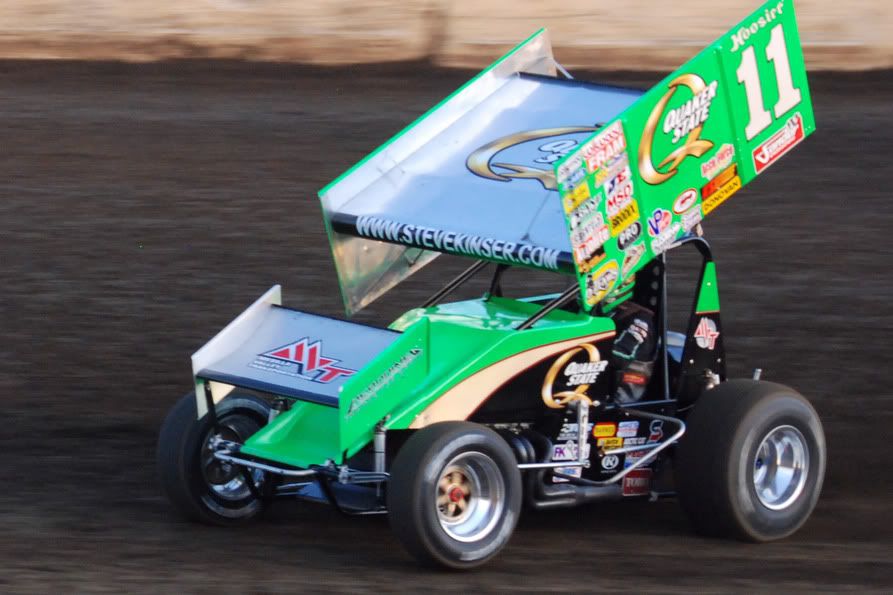
Shutter speed allows you to "stop" action or create motion blurs. The photo below shows a compromise of shutter speed - fast enough to make the car sharp - slow enough to show the faster speed of the tires - hence the blur...
Now in the next photo - I used a slower shutter speed. The car that is getting serviced in the pits is sharp while the car exiting the pits is blurred...

Now this photo shows how a real fast shutter speed can stop the blades on a helicopter...

This all takes practice and experience to figure out...
Once you have that down pat, we call progress to depth of field, which is controlled by your aperture.
Auto will turn on the built in flash as needed. Personally I never use the built in flash as it's not powerful enough for anything but a snapshot. Better results with a separate, more powerful flash.
I rarely use the "Auto" mode.
Once you learn a little more about photography, you'll probably migrate to the Program/Shutter/Aperture modes.
Shutter speed allows you to "stop" action or create motion blurs. The photo below shows a compromise of shutter speed - fast enough to make the car sharp - slow enough to show the faster speed of the tires - hence the blur...

Now in the next photo - I used a slower shutter speed. The car that is getting serviced in the pits is sharp while the car exiting the pits is blurred...

Now this photo shows how a real fast shutter speed can stop the blades on a helicopter...

This all takes practice and experience to figure out...
Once you have that down pat, we call progress to depth of field, which is controlled by your aperture.


